Category: General

General posts and updates

  • Local Voice Assistant: Whisper + Ollama + Piper on the Raspberry Pi

    Local Voice Assistant: Whisper + Ollama + Piper on the Raspberry Pi

    !Microphone – symbol of local voice processing

    Photo: Holger.Ellgaard, Wikimedia Commons, CC BY-SA 3.0

    Voice Control Without the Cloud: Is That Really Possible?

    Alexa, Google Home, Siri — they all work well, but share one common denominator: your voice commands end up on someone else’s servers. In the smart home context, where commands like “turn off the bedroom light” or “unlock the front door” are the norm, that’s unnecessary data sharing.

    The good news: in 2026, a fully local voice assistant is no longer a DIY project requiring hours of configuration. With Home Assistant’s Wyoming protocol, Whisper for speech recognition, Ollama as the LLM backend, and Piper for text-to-speech, you have all the ingredients — and the Raspberry Pi 5 is powerful enough to process everything locally.


    The Architecture: Four Building Blocks, One System

    Microphone → [STT] Whisper → [LLM] Ollama → [TTS] Piper → Speaker
                     ↕                ↕               ↕
                 Wyoming Protocol ← Home Assistant Assist

    The Wyoming protocol is the glue: it defines how Home Assistant communicates with external STT, TTS, and wake word services. All components run as Docker containers on the home server and are automatically discovered by HA.

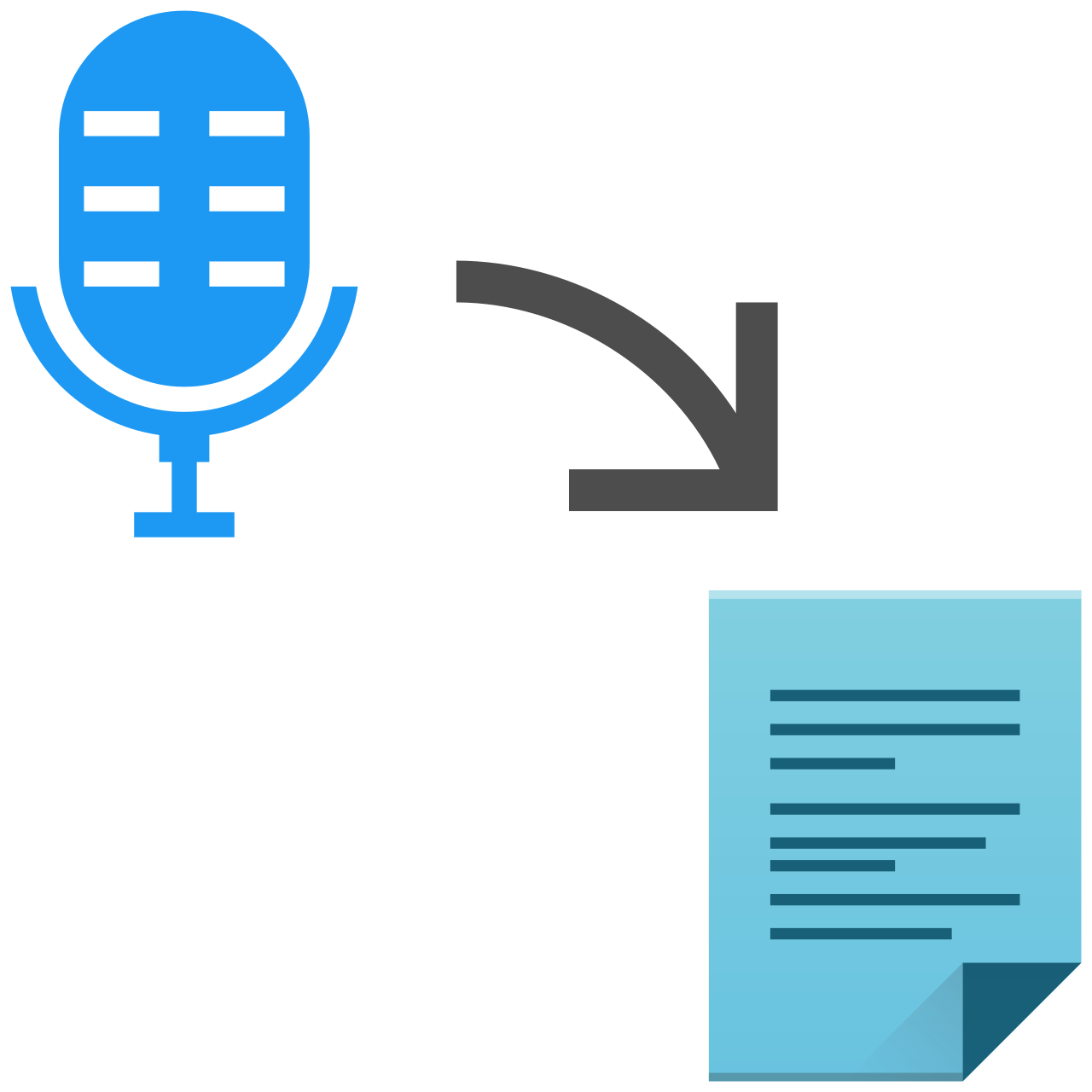
    !Speech-to-Text process

    Illustration of the speech-to-text pipeline. Wikimedia Commons, LGPL

    Block 1: Whisper (Speech-to-Text)

    wyoming-faster-whisper is the recommended STT component for HA. It’s built on faster-whisper — a CTranslate2 reimplementation that runs up to 4x faster than the original PyTorch model on CPU.

    Model recommendations for Pi 5:

    Model RAM Required Quality
    tiny ~1 GB for testing
    small ~2 GB good balance
    large-v3-turbo ~3 GB recommended (almost as good as large-v3)

    The large-v3-turbo model is OpenAI’s smart reduction of large-v3 from 32 to 4 decoder layers — nearly the same recognition accuracy, significantly less RAM. For non-English languages it’s clearly the first choice.

    Block 2: Ollama (Language Model)

    Ollama runs as a Docker container and exposes an OpenAI-compatible API. Home Assistant has had a native Ollama integration since 2024, which uses the LLM directly as a conversation agent in the Assist pipeline.

    Model recommendations for voice assistants:

    • Pi 5, 8 GB RAM: llama3.2:3b (~2 GB) or gemma3:1b (~800 MB)
    • Pi 5, 16 GB RAM: llama3.1:8b (~5 GB) for better language comprehension quality
    • Specifically for HA control: fixt/home-3b-v3 — a model fine-tuned for home automation commands that returns device states as function calls

    Response times are honest: llama3.2:3b takes 5–15 seconds on the Pi 5 for a short reply. That’s borderline for a voice assistant, but acceptable — especially when the server is dedicated and has no other load spikes.

    Block 3: Piper (Text-to-Speech)

    Piper is the Open Home Foundation’s neural TTS system, optimized for embedded hardware. A typical sentence is synthesized on the Pi 5 in under one second. Many languages are supported with multiple voices at different quality levels:

    • en_US-lessac-high — high quality American English male voice
    • en_US-amy-medium — medium quality female voice
    • en_GB-alan-medium — British English male voice

    Block 4: wyoming-satellite (optional, but useful)

    Don’t want to plug a microphone directly into the home server, but want voice input and output in multiple rooms? wyoming-satellite turns an inexpensive Raspberry Pi Zero 2W with a USB microphone into a distributed voice satellite. Audio streams go over LAN to the server; processing stays centralized.


    Setup: Docker Compose in 30 Minutes

    All components can be set up as a Docker stack. Here’s a complete Compose file for the home server:

    version: "3.8"
    
    services:
      wyoming-whisper:
        image: rhasspy/wyoming-faster-whisper
        ports:
          - "10300:10300"
        volumes:
          - whisper-data:/data
        environment:
          - WHISPER_MODEL=large-v3-turbo
          - WHISPER_LANGUAGE=en
        restart: unless-stopped
    
      ollama:
        image: ollama/ollama
        ports:
          - "11434:11434"
        volumes:
          - ollama-data:/root/.ollama
        restart: unless-stopped
    
      wyoming-piper:
        image: rhasspy/wyoming-piper
        ports:
          - "10200:10200"
        volumes:
          - piper-data:/data
        environment:
          - PIPER_VOICE=en_US-lessac-high
        restart: unless-stopped
    
    volumes:
      whisper-data:
      ollama-data:
      piper-data:

    After startup:

    # Pull the Ollama model
    docker exec ollama ollama pull llama3.2:3b
    # or for HA-specific control:
    docker exec ollama ollama pull fixt/home-3b-v3

    Configuring Home Assistant

    1. Add Wyoming integration: Settings → Integrations → Wyoming Protocol

    – STT: :10300

    – TTS: :10200

    2. Add Ollama integration: Settings → Integrations → Ollama

    – URL: http://:11434

    – Model: fixt/home-3b-v3 or llama3.2:3b

    3. Create Assist pipeline: Settings → Voice → Assist

    – Speech recognition: Wyoming (wyoming-faster-whisper)

    – Conversation agent: Ollama

    – Text-to-speech: Wyoming (wyoming-piper)

    After that, any HA device with a microphone — or a satellite Pi in the hallway — can accept voice commands.


    Realistic Performance Numbers

    On a Raspberry Pi 5 with 16 GB RAM and SSD:

    Phase Duration
    Wake word detection <100 ms (openwakeword)
    STT (large-v3-turbo, short sentence) 1–3 s
    LLM response (llama3.2:3b) 5–15 s
    TTS (Piper, one sentence) <1 s
    Total ~7–20 s

    That’s not Alexa-fast. Users wanting shorter latency can drop to smaller models (gemma3:1b + small Whisper) and accept slightly lower quality — or use Speaches as a combined STT/TTS server that mimics the OpenAI API and integrates with n8n and other tools.


    When Is It Worth It?

    A local voice assistant is worth it primarily when:

    • Privacy is a priority — not a single voice fragment leaves the home network
    • Reliability without internet matters — no outage during cloud disruptions
    • HA integration is the focus — no other assistant knows your HA entities as well as a directly integrated local LLM
    • You already run a home server — the additional load is manageable

    Those who primarily want to play music, set timers, or check the weather will find a cloud solution more convenient day-to-day. The local assistant shines with complex HA commands: “Turn all lights on the ground floor to 30 percent and close the blinds” — a sentence that locally trained models like home-3b-v3 can directly translate into HA actions.


    Sources and Further Reading

  • AI Agents in 2026: From Chatbots to Autonomous Systems at Home

    AI Agents in 2026: From Chatbots to Autonomous Systems at Home

    From Concept to Reality: AI Agents in Everyday Life

    Just two years ago, autonomous AI agents were mostly a topic for research labs and tech giants. In 2026, that has fundamentally changed. Models run locally on a Raspberry Pi 5, Home Assistant talks directly to a self-hosted LLM, and n8n workflows use agents that make decisions independently.

    But what exactly is an AI agent, and why is now the right time to start exploring them?


    What Makes an AI Agent?

    A classic language model answers a question — and that’s it. An AI agent, on the other hand, can:

    • Pursue goals, not just respond to prompts
    • Use tools (call APIs, read files, execute code)
    • Plan multiple steps and pass results between them
    • Collaborate with other agents

    The key paradigm shift: instead of specifying *how* to do something, you tell the agent *what* the goal is. Intent-based computing instead of instruction-based computing.


    The Most Important Trends in 2026

    1. Multi-Agent Systems Become the Standard

    Single agents hit limits quickly. The answer: teams of specialized agents that solve complex tasks together. Frameworks like CrewAI (44,000+ GitHub stars) and Microsoft Research’s AutoGen (54,000+ GitHub stars) make it possible to coordinate agents with clearly defined roles — researcher, writer, reviewer — into a coherent workflow.

    For home users, this is especially interesting: these systems can run entirely locally, with no dependency on cloud APIs.

    2. Local LLMs Have Reached Maturity

    Ollama has established itself as the de facto standard for local model management. A single command is enough to start models like Llama 3.2, Mistral 7B, or DeepSeek-R1 — with an OpenAI-compatible API that works with virtually every tool.

    Hardware requirements in 2026 are manageable:

    ModelRAM RequiredBest For
    Llama 3.2 3B4 GBSimple tasks, fast responses
    Mistral 7B8 GBGood all-round model
    Llama 3.1 8B8–10 GBMore complex reasoning
    Qwen 2.5 Coder8 GBCode generation

    A Raspberry Pi 5 with 8 GB RAM can run Llama 3.2 3B without issue — not lightning fast, but completely adequate for many home automation tasks.

    3. Home Assistant Becomes the AI Control Center

    Home Assistant has evolved into the natural integration platform for local AI agents. Since the blog post from September 2025, HA supports full AI Task Entities, tool-calling, and agentic loop support.

    The home-llm integration goes even further: a local model gets access to all HA entities and can control devices autonomously, without having to explicitly program every command. The model understands context — “it’s getting cold” can result in the heat being turned up and the blinds closing.

    Practical Example: Local Voice Assistant with Whisper + Ollama

    Microphone → Whisper (Speech-to-Text, local)
               → Ollama Llama 3.2 (Intent + Tool-Calling)
               → Home Assistant REST API
               → Device is controlled

    Latency: under 2 seconds on a Raspberry Pi 5 with 16 GB RAM. Completely offline — no data leaves the home network.

    4. Raspberry Pi AI HAT+ 2: Dedicated AI Hardware for the Pi

    Since January 2026, the Raspberry Pi AI HAT+ 2 has been available. The Hailo-10H accelerator brings up to 40 TOPS (INT4) and 8 GB of its own LPDDR4X memory. This significantly offloads the main processor and enables faster inference at noticeably lower power consumption.

    For home automation, this means: a Pi 5 with AI HAT+ 2 can continuously evaluate sensor data, detect anomalies, and act proactively — without noticeable performance overhead for other tasks.

    5. n8n + Ollama: Visual Agent Workflows Without Coding

    n8n has established itself as the ideal platform for agentic workflows that don’t require programming. Combined with a local Ollama server, powerful automations emerge:

    • Energy reporting: Sensor data from Home Assistant → Ollama analyzes → WhatsApp summary
    • Smart alerts: Anomaly in consumption data → Agent evaluates context → Push notification only when truly relevant
    • Shopping assistant: Inventory sensor drops below threshold → Agent checks calendar and prices → Shopping list in Notion

    A simple n8n setup for local AI:

    {
      "nodes": [
        { "type": "n8n-nodes-base.scheduleTrigger" },
        { "type": "@n8n/n8n-nodes-langchain.lmOllama",
          "parameters": { "model": "llama3.2", "baseUrl": "http://localhost:11434" }
        },
        { "type": "@n8n/n8n-nodes-langchain.agent" }
      ]
    }

    Getting Started: Practical Recommendations

    Level 1 — Experiment locally (doable right now):

    1. Install Ollama: curl -fsSL https://ollama.com/install.sh | sh
    2. Pull a model: ollama pull llama3.2
    3. Start Open WebUI as a chat interface via Docker

    Level 2 — Connect to Home Assistant:

    1. Install home-llm Custom Integration via HACS
    2. Configure the Ollama endpoint in HA
    3. Set Assist to use your local LLM as the conversation agent

    Level 3 — Build your own agents:

    1. Connect n8n with the Ollama node
    2. Build first agentic workflows for energy reporting or notifications
    3. Optional: CrewAI or LangGraph for more complex multi-agent scenarios

    What’s Coming Next?

    Development continues to accelerate. A few trends taking shape in 2026:

    • Embedded agents: Smaller, specialized models running directly on microcontrollers — first experiments with ESP32 and Cortex-M are underway
    • Persistent memory: Agents that learn across sessions and permanently store personal preferences
    • Local computer use: Agents that operate the desktop — currently cloud-only, but first local implementations are on the horizon

    Conclusion

    2026 is the year AI agents found their way from data centers into the living room. The combination of powerful local hardware (Raspberry Pi 5, AI HAT+), mature frameworks (Ollama, Home Assistant, n8n), and improved models makes it possible to run real agent systems without any cloud dependency.

    The barrier to entry has never been lower — and full control over your own data stays entirely with you.


    Sources:

© 2026 Constantin’s Tech Lab. Powered by WordPress.

About · Uses · Paperclip AI · Impressum · Datenschutz